d1-studio
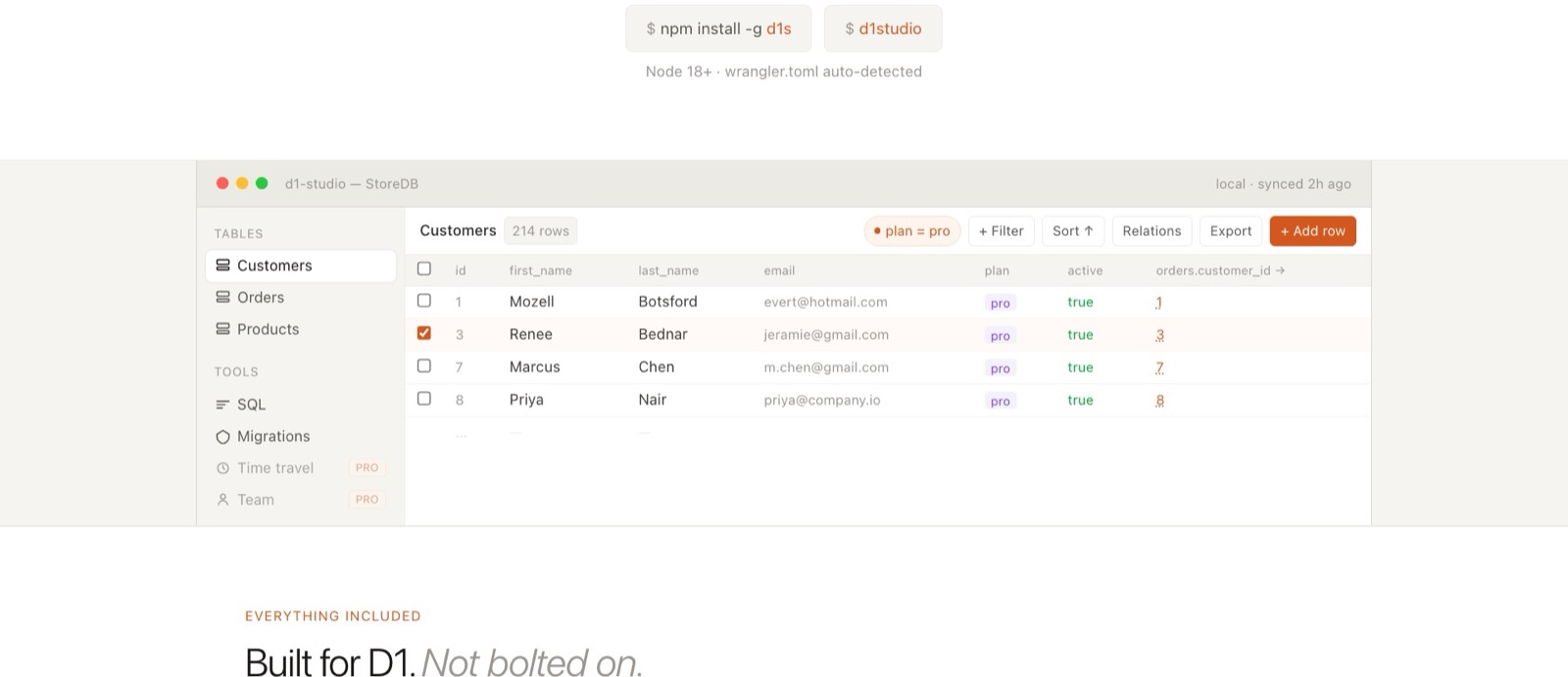
d1-studio is a database client for Cloudflare D1, the SQLite database that runs on Cloudflare. You install it from npm, run one command inside your project, and it opens in the browser with your databases already found.
$ npm install -g d1s$ d1studioWorking with D1 usually means typing SQL into wrangler in a terminal and reading JSON back. d1-studio puts the data in front of you instead: tables you can filter, sort and edit, a SQL editor, the schema as a diagram, and migrations you can preview before they run. I started it in January 2025. It’s now on version 0.3, with a free version and a paid Pro license.
Zero setup
There’s no config of its own. When you run it, it walks up from the current folder looking for wrangler.toml, wrangler.json or wrangler.jsonc, reads the d1_databases list, and those are your databases. No connection strings, no ORM, nothing to keep in sync.
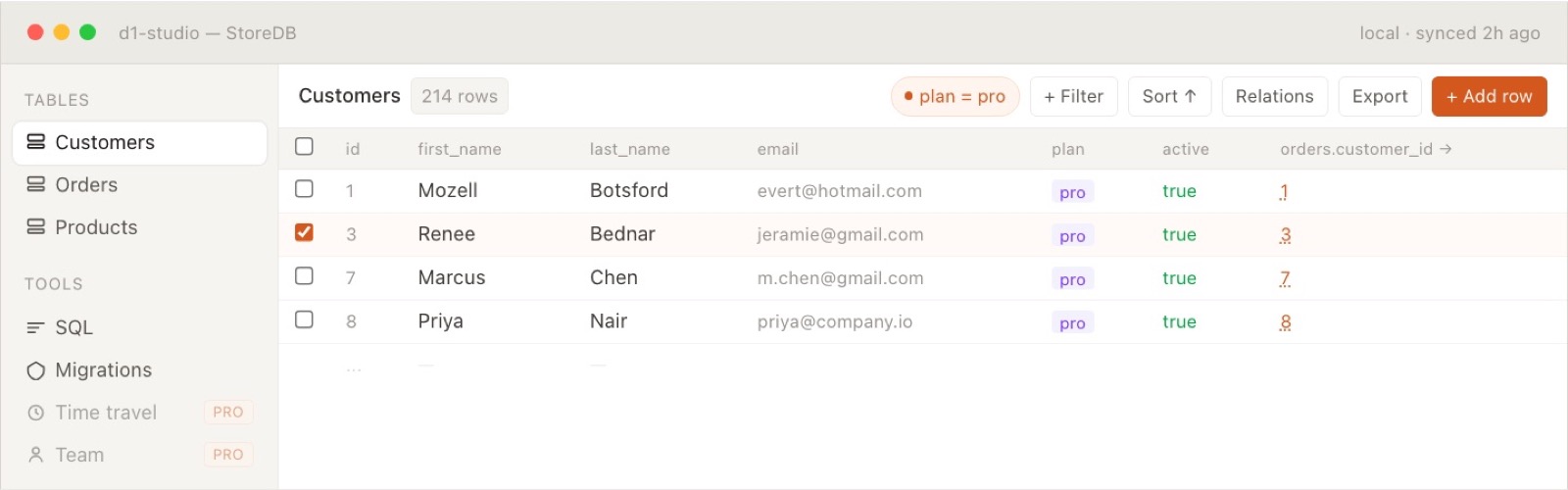
Reading local D1 directly
The obvious way to query a local database is to run wrangler d1 execute --local for every query. That starts a process each time, which is fine for a script and painful for a table you’re scrolling and editing.
Locally, wrangler keeps each D1 database as a plain SQLite file inside .wrangler/state, named by the ID of the Durable Object behind it. That ID is derived from the database’s ID with a fixed key, so d1-studio derives the same ID, finds the file, and opens it with better-sqlite3.
// Miniflare stores each D1 database under its Durable Object ID. The ID is// derived from the fixed D1 namespace key and the configured database ID.function miniflareDurableObjectId(name) { const key = sha256("miniflare-D1DatabaseObject"); const nameHmac = hmac(key, name).subarray(0, 16); const tail = hmac(key, nameHmac).subarray(0, 16); return Buffer.concat([nameHmac, tail]).toString("hex"); // → {id}.sqlite}Queries go from a process start to a function call. If the file can’t be matched with certainty, for example several databases and no exact hit, it falls back to wrangler rather than risk showing one database’s tables under another’s name.
Writing SQL
The SQL editor has highlighting, history and results inline. It runs against local D1 directly, or against remote D1 through wrangler. Writes go through a small queue, one at a time, so two quick edits never race.
| name | plan | created_at |
|---|
Remote, carefully
Production is where mistakes hurt, so remote features are built to make you look before anything changes. Remote databases connect with a Cloudflare API token, queries run through wrangler, and browsing remote tables is read-only.
Load the migrations folder and the d1_migrations table on remote. Locally each migration has a checksum, so an edited file is caught.
local: 14 files
remote: 12 applied
Pulling remote data down works the same way: preview, then confirm. Time travel restores a remote database to any point in the last 30 days, using D1’s own time travel, from a timeline instead of a bookmark ID pasted into a terminal.
Shipping a web app through npm
d1-studio is a Next.js app, but you never see a server. The npm package ships the already built app. The d1studio command starts it with Next’s custom server, tells it which project folder it belongs to, and opens your browser.
- d1studionpm bin
- Find configwalk up for wrangler
- Next serverprebuilt, local port
- Browseropens automatically
"bin": { "d1s": "dist/d1-studio.js", "d1studio": "dist/d1-studio.js"},"files": ["dist", "README.md"]The build copies the compiled .next output and the API code into dist, so installing it doesn’t build anything on your machine. It runs on Node 18 and up, on macOS, Linux and Windows.
Free and Pro
| Free | Pro | |
|---|---|---|
| Table browser, filters, inline edit | ✓ | ✓ |
| SQL editor with history | ✓ | ✓ |
| Schema diagram, export to PDF or PNG | ✓ | ✓ |
| Migrations with preview and rollback | ✓ | ✓ |
| JSON and CSV import and export | ✓ | ✓ |
| Remote sync with a diff first | ✓ | |
| Whole studio switched to remote | ✓ | |
| Time travel, last 30 days | ✓ | |
| Many databases in one place | ✓ |
Pro is a $29 lifetime license with no account to create. Pro endpoints in the local server answer 402 without it.
Selling it without accounts
The website handles payment and licenses, and the CLI only ever sees a key. Nobody signs up for anything.
Stripe Checkout on d1-studio.com takes the payment. There's no account to create first.
stripe: paid
plan: lifetime
export function generateHardwareId() { const info = { platform: process.platform, arch: process.arch, cpus: os.cpus().length, hostname: os.hostname(), username: os.userInfo().username, }; return createHash("sha256").update(JSON.stringify(info)).digest("hex");}The license server is checked at most every four hours, and if it can’t be reached, the last answer stands. A local database tool keeps working on a plane.
Usage stats are anonymous (an install ID, the version and the platform), and one environment variable turns them off.
$ D1_STUDIO_NO_TELEMETRY=1 d1studioDecisions and trade-offs
| Choice | Trade-off |
|---|---|
| Open Miniflare's SQLite file directly | Instant local queries, but it depends on how wrangler names its files, so it falls back to wrangler when unsure |
| Remote queries through wrangler | No Cloudflare client of my own to maintain, at the cost of a process per remote query |
| Read-only remote browsing | You can't fix a production row from the grid; changes go through SQL or migrations on purpose |
| A prebuilt Next.js app in the npm package | A bigger download, but nothing builds on install and the UI is the same everywhere |
| A license key, not an account | Nothing to sign up for or log in to; the first machine is recorded, but a key can be shared |
The website does its own marketing work too. Alongside the docs and changelog, a “Works with D1” directory lists the libraries people pair with D1, like Better Auth, Drizzle, Kysely, Hono and OpenNext, with a line on how each one fits. It’s useful on its own, and it puts d1-studio next to the tools people already search for when they set up D1.
Try d1-studio, free, at d1-studio.comBuilt with Next.js, npm CLI, Cloudflare API.